Correct words and timestamps.
Open the editor of a published episode. Listen to the passage and adjust the text.

Your podcast. Word for word.
Podigee transcribes every episode automatically as soon as you publish it. Your audience reads along, and you have the basis for show notes and new content.
Trusted by 11,000+ customers










Your episode to read along.Accessible without sound, too.
Find thoughts again.Reread what was said, at your own pace.
Keep working with your content.The basis for show notes and new content.
FROM RECORDING TO TEXT
You publish your episode as usual. Podigee creates the text for it, automatically and with AI.
Upload your recording as audio or video and publish it. Automatic transcription runs along with it.
Podigee transcribes your episode during encoding and detects the language by itself.
The transcript appears on the episode page and in the feed. In the player, you turn on the transcript section.
LISTEN. READ. STAY WITH IT.
Reread a passage. Follow a conversation more easily. Or discover the episode without sound.
In the Podigee Player, the text sits right with your episode. That makes your content easier to access and supports people with hearing impairments.
View episode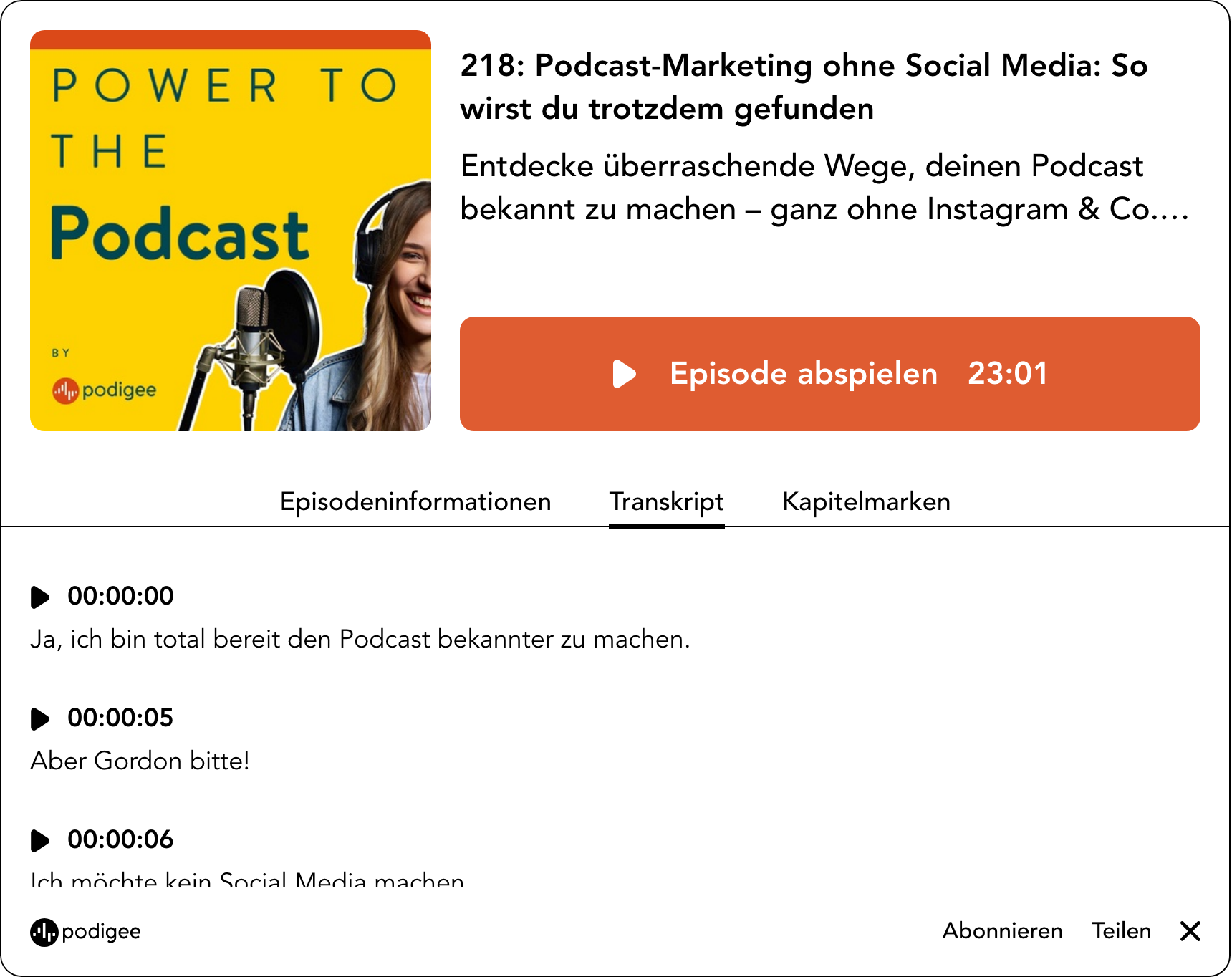
YOUR TEXT STAYS IN YOUR HANDS
Names, technical terms, small details: you know your episode best. That is why you have the last word on the transcript.
Open the editor of a published episode. Listen to the passage and adjust the text.
Upload an existing file. Podigee creates the files for your feed from it.
Copy your transcript or download it as a text file. For your editorial team, your archive, or your next step.
Bring your podcast to Podigee in a few clicks. Your RSS feed, episodes, audio files and metadata come with it. Your listeners stay with you.
How the move worksWhen you publish an episode, Podigee automatically creates the transcript with AI during encoding and detects the language. You can turn automatic transcription on and off in your podcast’s audio settings.
On the episode page of your podcast website and in the Podigee Player, once you turn on the transcript section there. In the feed, the transcript is available as a JSON and VTT file. Whether a podcast app shows it is up to the app. Apple Podcasts can take the transcript from your feed.
Yes. In the transcript editor of a published episode, you listen to the passage and correct the text and timestamps.
Yes. You upload a DOCX, SRT, TXT, or VTT file, and Podigee creates the files for your feed from it. You can copy an existing transcript or download it as a text file.
In the language of your episode. Podigee detects it automatically.
The transcript is the basis for your show notes. The Text Composer writes drafts from it, for example an SEO article, a LinkedIn post, or a newsletter section. You review each draft, adjust it, and decide where to use it.
Podigee suggests chapter marks once your episode is processed. You check the times and titles and save them. The chapters appear in the player, in the feed, and on your podcast website.
Start your podcast with Podigee. The transcript comes with it automatically.