Your video podcast now plays on your own website
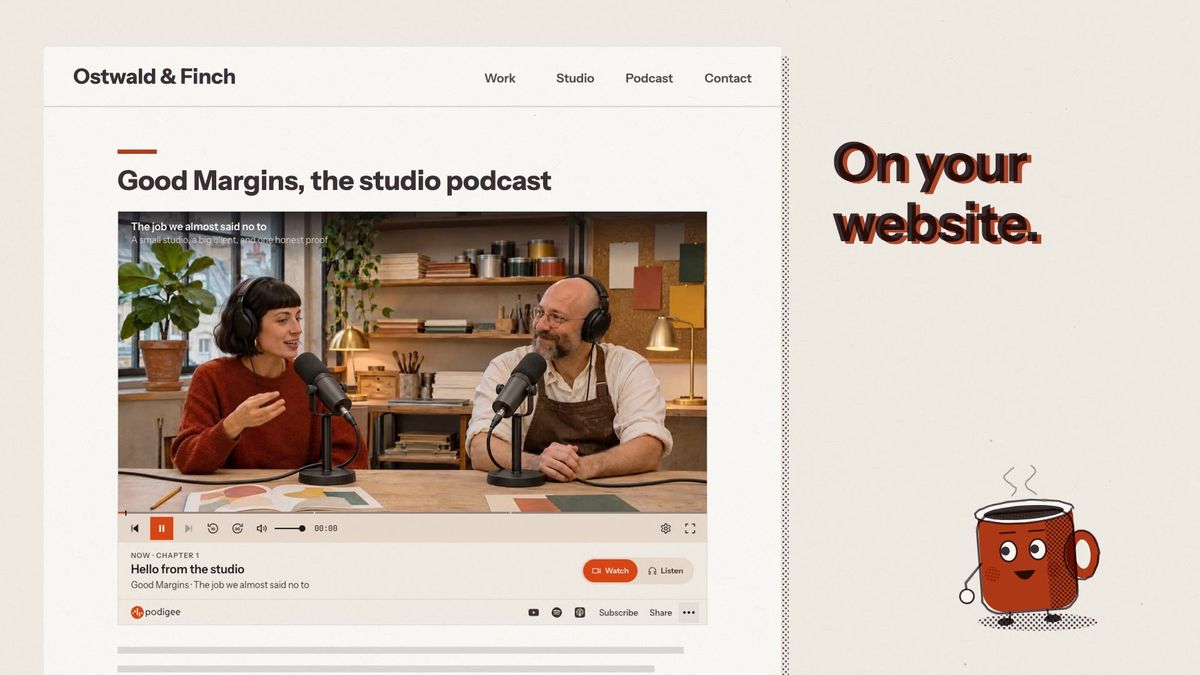
Video episodes now play as video in the Podigee web player, on your website and in every embed. Your listeners choose: watch, or just listen. The player also has a new look, with six color tones and your own highlight color.

Reading progress
In this article
In this article
The Podigee web player now plays your video episodes as video, on your podcast website and wherever you embed it. Your listeners switch between Watch and Listen at any moment, and the episode carries on from the same second. Audio episodes get the new design too.
What's new
Watch or Listen: one switch, same episode, same second.
Full screen on a laptop, inline on a phone, with video quality on Auto or a fixed choice.
A new look in six color tones, from light to dark, plus your own highlight color.
You choose what your listeners get: chapters, a transcript that follows along, show notes, your other episodes and sharing, separately for your website and for embeds.
Up to three platforms right next to Subscribe, so listeners can follow you where they already listen.
How to get it
Open Reach > Player in Podigee. The preview follows every change, and your settings save on their own. The embed code is at the bottom of the page, and every episode has its own. If your website uses an older embed code, copy the new one so your listeners get video too. Built your own player design with CSS and HTML? It keeps working, and you can switch to the new player whenever you like.
Six color tones on every plan. Highlight color: a palette on Grow, any color on Scale and above. Removing the Podigee logo from the player: Creator and above. More about the Podigee web player.