Podcast Equipment: The Best Gear for Beginners and Pros
You want to start podcasting, but the sheer number of podcast equipment options is overwhelming? Take a breath. You don't need a full studio to sound professional. In this guide, we'll walk you through the podcast gear you actually need, with real setups for every budget.
)
Reading progress
In this article
In this article
Podcast Equipment at a Glance
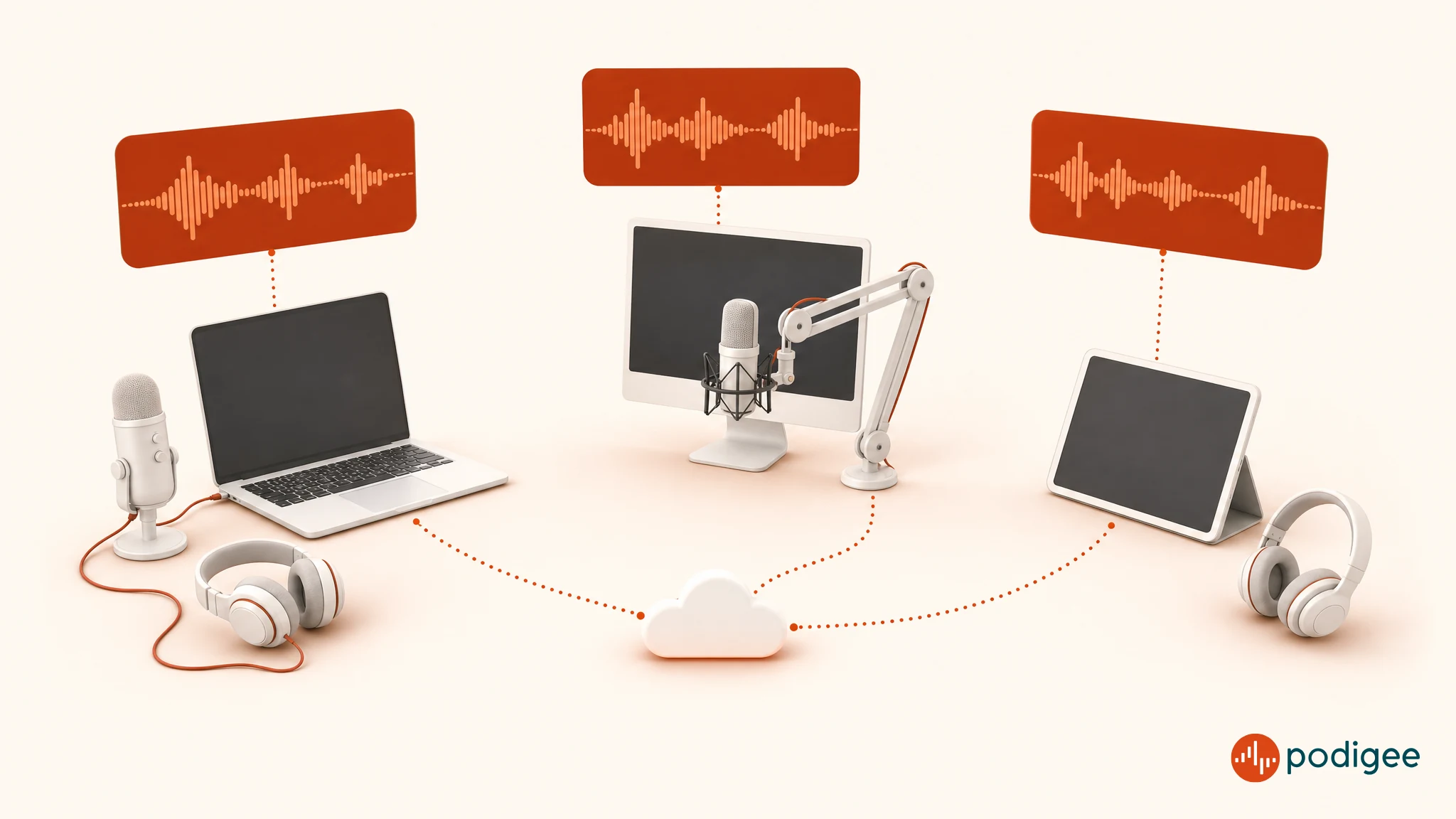
The must-haves for every podcast: a microphone and headphones, plus a way to record, either a DAW or the Podigee Recording Studio right in your browser.
USB microphones are the easiest starting point. No audio interface required, they're ready to go as soon as you plug them in.
XLR microphones with an audio interface deliver better sound quality and more control.
Dynamic microphones are forgiving with background noise. Condenser microphones capture more detail, but pick up more room sound too.
A solid beginner setup with a USB mic and closed-back headphones starts at around $160.
For two people in the same room you'll want two separate microphones plus an audio interface with at least two inputs.
Remote guests only need a mic, headphones, and a link to the Podigee Recording Studio. No extra software.
Free software like Audacity or GarageBand is more than enough to get started.
With Podigee you record right in your browser, then publish and distribute your podcast, all in one place.
What Do I Need for a Podcast? The Essential Kit
Before you sink money into fancy gear, it's worth zooming out. Your podcast setup only has three genuinely required components:
A microphone, the single biggest factor for how your podcast sounds
Headphones, so you can hear yourself while recording and keep echo out of your track
A way to record: a DAW like Audacity to capture and edit, or the Podigee Recording Studio, where you record right in your browser, solo or with guests
Nice to have, but not strictly required:
An audio interface (only required if you use an XLR microphone)
A mic stand or boom arm for stable positioning
A pop filter to soften the harsh "p" and "b" sounds
Some acoustic treatment to reduce echo in your room
Tip: If you want the full picture of how to launch a show from scratch, we've mapped out every step in our How to Start a Podcast guide.
What podcast gear do you really need, and what's optional?
If you start with a USB microphone, you can be recording within minutes. Plug in the mic, open your DAW or your browser, hit record. No audio interface, no driver headaches. If you go with an XLR microphone instead, an interface becomes non-negotiable. It's the bridge that converts the mic's analog signal into something your computer can process.
Our take: Start with a solid USB microphone, a good pair of headphones, and free software or the Recording Studio in Podigee. You can always upgrade later, and most first-time podcasters do.
Podcast Equipment for Beginners: Where to Start Without Overthinking It
If you're just getting into podcasting, the trap is spending three weeks researching gear and never actually pressing record. Skip that. Here's what a lean, no-regrets beginner kit looks like:
Microphone: A USB mic around $100. The Samson Q2U (about $100 as a recording pack with desk stand, cables, and windscreen) is the widely recommended sweet spot. It's both USB and XLR, so it grows with you. The Rode NT-USB Mini (about $105) is a strong alternative with a built-in pop filter.
Headphones: Any closed-back over-ear pair around $60 to $110. The Audio-Technica ATH-M20x (about $59) or ATH-M40x (about $109) both do the job.
Software: Audacity (free) on Windows or Linux, GarageBand (free) on Mac, or record right in your browser with the Podigee Recording Studio.
That's it. You can record and publish your first episode for around $160 in podcast gear. The two things that will actually improve your sound faster than more expensive equipment are your microphone technique (stay a fist's distance from the mic, speak past it rather than into it) and your room (soft surfaces beat hard ones, avoid corners).
Podcast Microphones: The Heart of Your Setup
The microphone is the single biggest lever you have for how your podcast sounds. Two decisions matter here.
USB or XLR: which connection is right for you?
USB microphone | XLR microphone | |
|---|---|---|
Getting started | Very easy, plug and play | Needs an audio interface |
Sound quality | Good to very good | Very good to professional |
Flexibility | Limited | High (interface, mixer, recorder) |
Multiple hosts | Awkward in the same room, easy remotely in the browser | Straightforward |
Price | Starts around $100 | Starts around $90 (plus interface) |
Best for | Beginners, solo podcasters, remote recordings | Advanced podcasters, multi-person formats |
USB microphones are the most beginner-friendly choice. You plug into a USB port and you're recording. No interface, no drivers, no complexity. Solid picks to start with: Samson Q2U (about $100 as a pack), Rode NT-USB Mini (about $105). A USB mic is also the perfect match for the Podigee Recording Studio: plug in, open your browser, record.
XLR microphones typically sound better and are more flexible, but you'll need an audio interface as the middle piece. Classic entry-level picks: Shure SM58 (about $109), Rode PodMic (about $86), and, once you're ready to spend more, the industry favorite Shure SM7B (about $439).
Dynamic vs. condenser: what's the difference?
Dynamic microphones are the robust, forgiving option. They mostly pick up what's directly in front of them, which means background noise, keyboard clicks, and room echo are much less noticeable. For most home podcasters, this is the safer bet.
Condenser microphones are more sensitive and capture more detail. That sounds like an upside, and in a treated studio it is, but at home it also means your fridge hum, your neighbor's leaf blower, and your keyboard suddenly become part of the show. Save these for quieter, treated rooms.
Beginner recommendation: Go with a dynamic microphone, ideally one with USB. It sounds good, it's tough, and it forgives mistakes.
Podcast Audio Interface: When It's Worth It
An audio interface isn't a required piece of podcast equipment, but it's the piece that unlocks the jump from USB to XLR and levels up your sound noticeably. The interface handles a few key jobs:
Preamplification of the mic signal
Analog-to-digital conversion for clean audio into your computer
Direct monitoring so you hear yourself without any lag
Ports for headphones and additional gear
When you should invest in an audio interface
You'll want an interface once:
You're using or planning to use an XLR microphone
You record with two or more people in the same room at the same time
You want more control over levels and sound shaping
You're planning to move to a more professional setup down the line
If your guests are somewhere else, you don't need an interface for multiple mics: in the Podigee Recording Studio, everyone records with their own microphone in the browser.
Recommendations by budget:
Model | Inputs | Price | Best for |
|---|---|---|---|
Focusrite Scarlett Solo (4th Gen) | 1x XLR | ~$160 | Solo podcasters |
Focusrite Scarlett 2i2 (4th Gen) | 2x XLR | ~$225 | Two-person podcasts |
SSL 2+ MKII | 2x XLR | ~$230 to $250 | Step-up sound quality |
Rode RØDECaster Duo | 2x XLR + lots of extras | ~$500 | Interface and mixer in one device |
Prices: approximate US street prices at Sweetwater, October 2026. Prices change often, so check before you buy.
Podcast Headphones: Why They're Non-Negotiable
Good headphones aren't a luxury, they're a working tool. While recording, you hear yourself in real time and catch problems immediately: getting too close to the mic, drifting too far away, background noise creeping in, or your level clipping. In remote recordings, headphones also keep your guests' voices from bleeding into your mic as echo.
For podcasting, go with closed-back over-ear headphones. Closed-back keeps the sound inside the cans so it doesn't leak into your mic.
Recommendations:
Beyerdynamic DT 770 Pro (80 ohm) (about $155). A studio favorite with excellent sound and all-day comfort.
Audio-Technica ATH-M40x (about $109). A solid studio-style alternative for beginners.
Rode NTH-100 (about $129). Designed specifically with creators in mind.
For video podcasters: In-ear monitors give you similar sound quality without being visible on camera. In the Podigee Recording Studio you can record video too, including an automatically combined video of everyone, and send your video podcast to YouTube, Spotify, and Apple Podcasts with one upload. We've written more on the growing case for video in our Video Podcast article.
Record Without Extra Software: The Podigee Recording Studio
Maybe the most important news for your setup: you don't necessarily need a DAW, an audio interface, or a separate remote tool to record. With the Podigee Recording Studio, you record your podcast right inside Podigee in your browser, solo or with guests. All the hardware you need is a microphone and headphones.
Minimal setup: a mic, headphones, a browser, and a stable internet connection. A dedicated mic sounds best, but your laptop's built-in mic works to get started. Headphones keep echo out of the recording.
Guests only need a link: you invite them by email or link. Nobody has to install anything, not even an app.
Up to 8 people and 4 hours per session, audio only or with video. With cameras on, Podigee automatically combines everyone into one video after the conversation.
Every voice on its own track: each person is recorded locally on their own device in full quality (double-ender). Tracks upload while you talk, and an interrupted upload picks up right where it left off.
Automatic cleanup: Podigee aligns the tracks and levels the volume automatically. In the editor, you trim the recording, mute or solo tracks, and fine-tune the alignment. You can download individual tracks at any time.
Your recording becomes the episode: no export, no second upload. From there, it goes out to Spotify, Apple Podcasts, YouTube, and more.
The Recording Studio is included starting with the GROW plan (€29/month). Get all the details on the Podigee Recording Studio feature page and compare plans on the Podigee pricing page.
What does that mean for your gear? Invest in a good microphone and closed-back headphones first, for you and ideally for your guests. You mainly need an audio interface or mixer if you use XLR mics or record several people in the same room on one computer. Want to see how solo creators run a podcast without a big tech setup? Check out Podigee for solo creators.
Podcast Software: Recording, Editing, Publishing
If you want to record locally or do detailed edits, you need a DAW (Digital Audio Workstation). The good news: there are excellent free options. If you want a deeper comparison, we've broken it down in our Podcast Software and Tools guide.
Free podcast software
Audacity (Windows, Mac, Linux). The most widely used free DAW. Great for editing and cleaning up episodes.
GarageBand (Mac). Pre-installed on Apple machines, intuitive, and surprisingly capable.
Reaper (Windows, Mac, Linux). An affordable pro DAW with a 60-day free trial that most people just keep using.
Remote recording: guests who aren't in the room
If your guests aren't in the room, you'll need a tool built for remote recording. What to watch out for and which mistakes to avoid is something we cover in our Online Recording tools guide.
Podigee Recording Studio. Browser-based, guests join by link with no software, up to 8 people, audio or video, every track in full quality (double-ender). The recording becomes your episode directly, with no export and no re-upload. From GROW.
Zencastr and SquadCast. Browser-based alternatives if you already work with an external tool. You then export the finished recording and upload it to Podigee.
Record, publish, distribute: all in Podigee
Once your episode is ready, Podigee gets it to your audience. Podigee is the open podcast platform for recording, hosting, video, transcription, analytics, and monetization. One RSS feed reaches more than 15 platforms, including YouTube, Spotify, Apple Podcasts, Amazon Music, and iHeartRadio, and you submit to the major directories once, right from Podigee. Learn more about podcast hosting and distribution with Podigee.
Podigee also creates transcripts, show notes drafts, and chapter markers for your episodes automatically. The Clipper suggests up to five clips per episode for social media, and the Text Composer drafts LinkedIn posts, newsletters, and SEO articles (content repurposing with Podigee). To see how your episodes perform, use the IAB 2.2 certified podcast analytics and reports, also on the go in the Podigee app for iOS and Android.
Video Podcast Equipment: What Changes When You Add a Camera
More podcasters are going hybrid: audio for regulars, video for social clips and YouTube discovery. The good news: you don't need a film crew. You just need to add a few pieces to your existing podcast equipment.
The essentials for video:
Camera. A modern smartphone shoots great podcast video. If you want a step up, a webcam like the Logitech Brio 4K (about $170) or a mirrorless camera like the Sony ZV-E10 gives you a noticeable quality bump.
Lighting. This is where a lot of home video falls apart. A single soft key light in front of you, like a ring light or a small softbox, does more for perceived quality than an expensive camera in bad light.
Framing. Camera at eye level, not looking up at you. Background should have a bit of depth, not a bare wall directly behind you.
Audio. Even if you record video, your primary audio should still come from your podcast microphone, not the camera's built-in mic.
Recording tool. The Podigee Recording Studio records video with up to 8 people and automatically creates one combined video. External tools like Riverside work too, but require exporting and re-uploading.
You can upload video episodes on every Podigee plan, and from STARTER you distribute them to YouTube, Spotify, and Apple Podcasts. Learn more about video podcasts with Podigee, or read our video podcast guide to find out when video pays off and when it doesn't.
Podcast Equipment Setup Recommendations: Three Configurations
Let's take everything above and turn it into concrete podcast equipment setups you can copy. Prices are approximate US street prices at Sweetwater, October 2026.
Beginner setup (solo), starting at around $160
Perfect for anyone who just wants to hit record without a big investment or a technical learning curve.
Gear | Recommendation | Approx. price |
|---|---|---|
Microphone | Samson Q2U recording pack (USB/XLR) | $100 |
Headphones | Audio-Technica ATH-M20x | $59 |
Software | Audacity (free) or Podigee Recording Studio (from GROW) | $0 |
Total | ~$160 |
Two-person setup in the same room, starting at around $600
For anyone who regularly records with a co-host or an in-person guest. If your co-host is somewhere else, each of you only needs a USB mic and headphones, and you record together in the Podigee Recording Studio.
Gear | Recommendation | Approx. price |
|---|---|---|
Microphones (2x) | Shure SM58 | 2 x $109 |
Audio interface | Focusrite Scarlett 2i2 (4th Gen) | $225 |
Headphones | Beyerdynamic DT 770 Pro (80 ohm) | $155 |
Software | Audacity / GarageBand | $0 |
Total | ~$600 (add ~$155 for a second pair of headphones) |
Advanced setup, around $1,800
For content creators and corporate podcasts that want top sound quality and maximum flexibility.
Gear | Recommendation | Approx. price |
|---|---|---|
Microphones (2x) | Shure SM7B | 2 x $439 |
Interface / mixer | Rode RØDECaster Duo | $498 |
Headphones | Beyerdynamic DT 770 Pro (80 ohm) | $155 |
Boom arms (2x) | Rode PSA1+ | 2 x $129 |
Total | ~$1,790 |
Podcast Equipment Checklist
A quick reference to make sure you haven't missed anything:
Required:
Microphone (USB or XLR)
Headphones (closed-back, over-ear)
A way to record: a DAW or the Podigee Recording Studio in your browser
Audio interface (only if you're using an XLR microphone)
Recommended:
Mic stand or boom arm
Pop filter or windscreen
Basic acoustic treatment (curtains, rugs, foam panels)
A podcast platform to publish and distribute your show, like Podigee
For remote recording:
Podigee Recording Studio (guests only need a link) or another remote recording tool
A mic and headphones for every guest
A stable internet connection
For video podcasts:
Camera (smartphone, webcam, or mirrorless)
Key light (ring light or softbox)
Audio recorded from your podcast mic
FAQ: Common Questions About Podcast Equipment
- Starting a podcast: which equipment is needed?
To start a podcast, you need three essentials: a microphone (USB is easiest for beginners, XLR gives you more room to grow), closed-back over-ear headphones, and a way to record, either a DAW like Audacity or GarageBand or the Podigee Recording Studio in your browser. A USB mic like the Samson Q2U costs about $100 as a recording pack. Add $59 headphones and free software, and you can start a podcast for around $160 in gear. You only need an audio interface if you go with an XLR microphone or record several people in the same room.
- Can I record a podcast without extra software?
Yes, with the Podigee Recording Studio you record your podcast right in your browser, with no DAW and no extra app. All you need is a microphone, headphones, and a stable internet connection. Guests join by link, up to 8 people and 4 hours per session, audio or video. The recording becomes your episode directly. The Recording Studio is included starting with the GROW plan (€29/month).
- What equipment do guests need for a remote recording?
For a remote recording, guests only need a microphone, headphones, and a browser. In the Podigee Recording Studio, they join by link, with no app and no installation. A dedicated mic sounds much better than a laptop's built-in mic, but the built-in one works to get started. Headphones matter most, because they keep echo out of the recording.
- Which podcast microphone is best for beginners?
The best podcast microphone for beginners is a USB microphone around $100. Our top pick is the Samson Q2U (about $100 as a recording pack): it's dynamic, forgiving of home-recording conditions, and works as both USB and XLR, so it can grow with you. The Rode NT-USB Mini (about $105) is another strong pick with a built-in pop filter. If you already own an audio interface, the Shure SM58 (about $109) is a rock-solid XLR alternative.
- Do I need an audio interface for my podcast?
You only need an audio interface for your podcast if you're using an XLR microphone or you want to connect multiple microphones in the same room. With USB microphones and with remote recordings in the Podigee Recording Studio, an interface isn't needed. That said, if you're planning to scale up your podcast with more in-person hosts and more sound control, investing in an interface like the Focusrite Scarlett 2i2 (about $225) from day one saves you a re-buy later.
- What podcast equipment works for 2 people?
For two people in the same room, the best podcast equipment is two separate microphones plus an audio interface with at least two inputs. A reliable pairing: two Shure SM58 mics (about $109 each) with the Focusrite Scarlett 2i2 (about $225). If you'd rather have a single compact device, the Rode RØDECaster Duo (about $498) combines an interface, a mixer, and a bunch of extras. Each host also needs their own pair of closed-back headphones. If you record from different locations, each person only needs a mic and headphones, and you record together in the Podigee Recording Studio.
- How much does good podcast equipment cost for beginners?
Good podcast equipment for beginners costs between $160 and $260. That budget gets you a solid USB microphone (about $100 to $105), a good pair of closed-back headphones (about $59 to $155), and free software like Audacity. You do not need an expensive studio setup to sound professional. Microphone technique, room acoustics, and interesting content matter far more than premium gear.